
7 min readPivot Scale Labs
WhatsApp automation services: an honest walkthrough
What WhatsApp automation services actually do, from opt-in and approved templates to qualification, routing and human handoff, plus the honest limits.
- whatsapp automation
- lead generation
- CRM
- automation
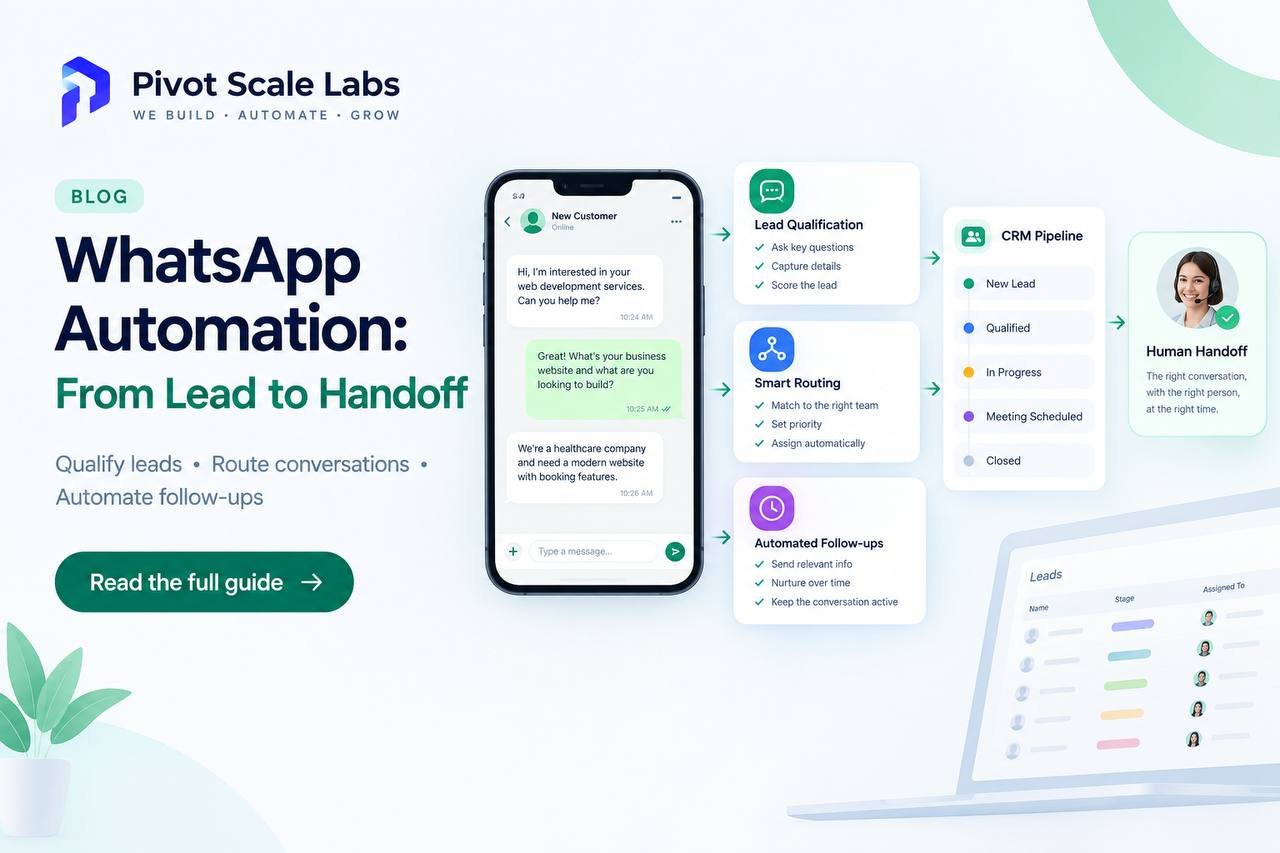
A WhatsApp automation service is not a chatbot you bolt onto a phone number and forget about. It is a small system: a verified business number, an opt-in you actually ask for, message templates approved before they can be sent, a qualification step, routing to the person who can help, follow-up that runs whether or not anyone remembers it, and a clean handoff the moment a human should take over.
This is what WhatsApp automation services look like from the buyer's side: what gets built, what you have to agree to, and when you should walk away and use something else.
That is the whole shape of it. Everything else is detail, and the detail is where most projects quietly fall apart.
What WhatsApp automation services actually build
Strip out the sales language and a working setup has five parts.
- A verified business identity. A WhatsApp Business Account, a display name, a phone number you control, and a connection through a provider or the Cloud API. Until that exists you have a hobby, not a channel.
- Entry points. A click-to-chat link, a QR code on a quote or an invoice, a button on the website, the number on the side of a van. WhatsApp cannot message people who never contacted you or agreed to hear from you.
- A qualification flow. Two or three questions that separate a real enquiry from a price shopper, written the way people actually type.
- Routing and ownership. Every conversation lands on a named person or a queue. Nothing sits in a shared inbox waiting for someone to notice it.
- Follow-up and reporting. Reminders, review requests, reactivation. Plus one weekly number that tells you whether any of it is working.
All of it sits on top of your CRM. If the CRM is a mess, that is the first thing to fix, which is why workflow engineering tends to come before the WhatsApp work itself.
Opt-in is the part everyone wants to skip
Meta's rules are not a formality. To send a business-initiated message you need a record of the person agreeing to receive it, and that agreement needs to be specific enough that one complaint does not sink the number. Buying a contact list and blasting it is the quickest way to get a WhatsApp Business Account restricted.
In practice, good opt-in looks boring:
- A checkbox on the enquiry form that says you will reply on WhatsApp, unchecked by default.
- A WhatsApp button on the site that opens a conversation the customer starts.
- A line on the paper form the customer was signing anyway.
- A keyword a customer texts to your number after seeing it on a card or a receipt.
Store the timestamp and the source next to the phone number in the CRM. When someone asks you to prove consent, "it is in the system" is not an answer.
Templates, sessions and the 24-hour window
WhatsApp runs two modes of messaging, and mixing them up is where a lot of projects go wrong.
When the customer messages you, a 24-hour window opens. Inside it you can reply freely, in normal conversation, with files and buttons. Outside it, you need a template: a message Meta has reviewed and approved for category and wording.
Templates get approved, edited or rejected, and none of that is instant. Marketing templates are held to a higher standard than utility ones, the kind used for order updates, appointment reminders and confirmations. If your plan depends on a promotional blast landing at 9am on a Monday, build in time for the rejection that arrives instead.
The practical rule is to use templates for the first touch and anything time-sensitive, then keep the conversation as conversational as the window allows. Sessions are where qualification happens. Templates are what get you there.
Qualification and routing without a human reading every message
WhatsApp lead generation works best when the first three messages do the sorting. Ask what a good receptionist would ask, and only ask what you can act on.
- What do you need done?
- Which site, or which country, are you in?
- When do you need it?
- What is the rough budget or size?
Then the automation tags the conversation and routes it. Emergency jobs ring a phone. Quote requests land in a queue with a service tag. Price shoppers get a brochure and a polite "anything else?" Written badly this is a maze. Written well, it is three taps and a reply.
Here is the shape to aim for, hypothetically. Say a 6-person team handles 40 enquiries a day across a form, a phone line and a WhatsApp button. Right now three people read every message, retype half of them into a CRM, and lose a dozen to "we forgot to reply". With a qualification flow, the 40 arrive tagged and assigned, the obvious junk answers itself, and the CRM record exists before anyone opens the chat.
Nobody in that example got more leads. They stopped dropping the ones they already had. This is also where integrations matter, because WhatsApp is close to useless if it cannot see your CRM, your calendar or your ticketing tool.
Follow-up, handoff and the quality rating
Two numbers decide whether this keeps working. The first is response time, which WhatsApp measures for you whether you like it or not. The second is your quality rating, built from blocks, reports and template feedback. A low rating throttles how many template messages you can send each day. A restricted account is a business continuity problem, not an inconvenience.
So build the boring safeguards from day one:
- An unsubscribe path that works, and a stop word a person can text.
- A human handoff that triggers on keywords such as refund, complaint, lawyer or cancel, and on frustration after two failed answers.
- A cap on how often one contact can be messaged in a month.
- Someone whose job includes reading the transcripts weekly.
Most WhatsApp automation agencies will sell you the channel before they understand your process. A good WhatsApp automation agency asks about your intake first, then tells you exactly what happens when the account gets flagged. Listen carefully to that answer.
When WhatsApp is the wrong channel
Plenty of businesses should not start here.
If your buyers sit in procurement, live in email and expect a paper trail, email plus a proper proposal system wins. If a deal needs a signed contract and a security review before anyone says yes, WhatsApp is a doorbell at best. If enquiries arrive twice a week, a person answering them well beats any automation you could buy. And if your customers mostly work at a desk, they are not checking WhatsApp between meetings.
WhatsApp fits where the customer already uses it to talk to businesses like yours: home services, clinics, dealerships, agencies, logistics, field teams, and markets in the UAE, India and large parts of the UK where the app is the default way to ask a question. The test is blunt. Do your customers already message you on WhatsApp? If not, you have a channel problem, not an automation one. If you are still deciding where to begin across channels, where to start with automation covers the sequencing. When the shape is clear, you can book a discovery call and we will tell you honestly whether WhatsApp is the right first move.
Frequently asked questions
Do I need the WhatsApp Business API, or is the free app enough?
The free app is fine when one person answers chats by hand and nobody else needs to see them. The moment you need several agents, routing, approved templates, reporting or a CRM that updates itself, you need the API through a Business Solution Provider. That is usually what the phrase WhatsApp automation services is actually describing.
Is it allowed to message people who never contacted us?
No. Business-initiated messages need opt-in, and WhatsApp expects you to be able to show where it came from. Buying a list, or importing numbers from a spreadsheet you found, ends in throttling, then a restricted account, then a banned one. Consent that is captured, dated and stored is the floor, not an optional extra.
How long does a setup take to go live?
Longer than the sales deck suggests. The number verification and display name check, template approvals and the first qualification flow are the slow parts, and a template can come back rejected for wording you thought was harmless. Two to four weeks is realistic if your CRM is already in decent shape. If it is not, fix that first.
Why is WhatsApp automation talked about as lead generation?
Because the first reply is usually what decides the outcome. A lead that waits six hours for an answer has often already messaged someone else. WhatsApp lead generation is less about reaching more people and more about answering quickly, asking two useful questions and putting the enquiry in front of a human before interest cools.